Step 1: Set up a sub-domain for first-party cookies
Set up Subdomain and implement DNS mappings (pre-requisite for a Web data source to enable first-party cookies and server-to-server tracking )
Before setting up your first Web data Source Connector in Datahash, you need to complete a prerequisite step - setting up a subdomain. If you have already set up a subdomain in your project, you can skip this step.
Note: You can only set up one subdomain per project. To add a new subdomain, you will need to create a new project.
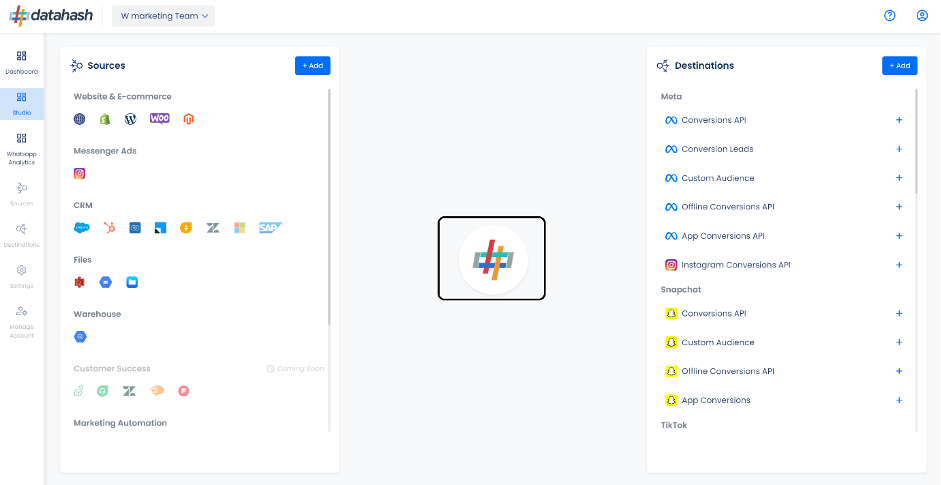
Subdomain Setup To start the subdomain setup, click on the central Datahash engine icon. There are two main steps to complete:
- Login to Datahash and open the sub-domain set-up by clicking on the Datahash icon in the center
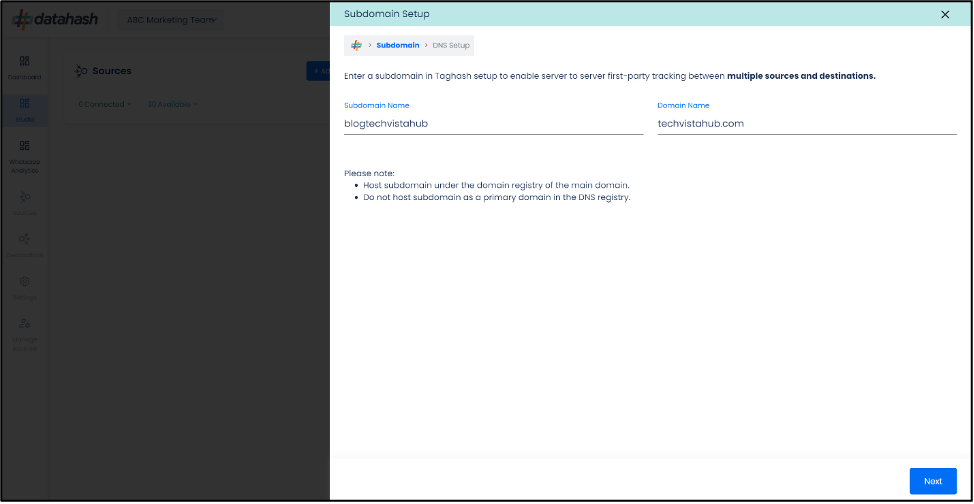
- Providing Sub Domain and Domain Name: Provide a sub-domain name e.g. s2s or firstpartydata. Provide the domain name of the website on which tracking has to be setup. The domain name will be prefilled based on your work email. Do verify and update as required. Click Next.
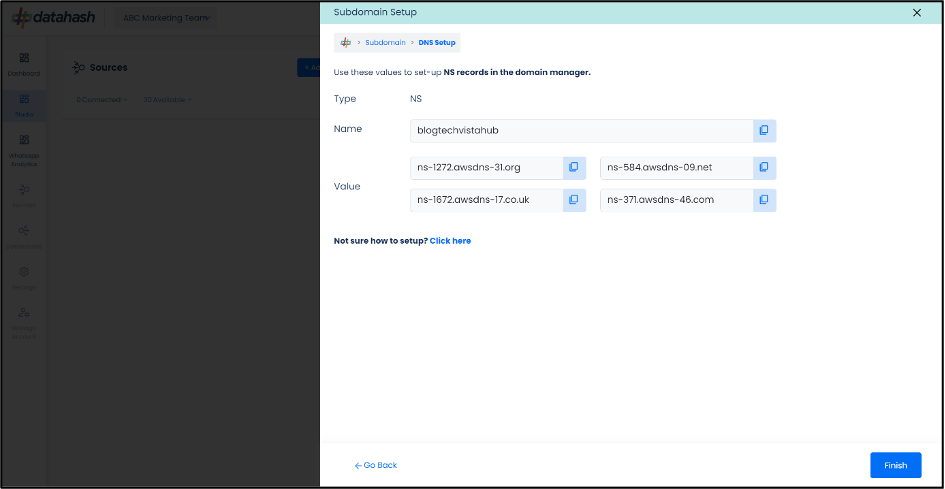
- Set up the NS records in the Domain Manager: Once you save the sub-domain and domain name, Nameserver (NS) records will be generated for the sub-domain and will be availabe to be set up on your website domain's Domain manager in the DNS settings section.